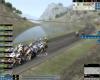
Is there a way to make the fast forward/ pause button always be visible? In hectic situations, it's so frustrating to make two mouse clicks instead of one.
Disclaimer- Most of my posts are me thinking aloud. And most of what I think is rubbish.
Winner of a FIFA Prediction Fair Play Award (a phrase becoming increasingly ironic) "... Because he (me) has a sound tactical mind in general..." jandal7, at 9:30 am GMT on 12th May 2016
Lachi wrote:
You are so funny, you want a quick way but refuse to use the quickest way.
To be complete:
"P" pauses the game.
"+" speeds up the game.
"-" slows it down.
Now that it is confirmed as the quickest way, I will of course use the keyboard. Haven't played PCM since 12 and my brain told me that the fast forward buttons were visible in previous versions. Then I must be wrong. Wasn't there a x8 option?
Thanks Edited by Fezzer on 17-07-2014 20:14
Yes, it changed in PCM13. But all buttons are still there, but as you said yourself, you have to click to make them visible.
Or if you are talking about the keyboard shortcuts. You find more info in the manual, in the official online guide or in the 3D stage you can press the spacebar to see them.
Lachi wrote:
You are so funny, you want a quick way but refuse to use the quickest way.
To be complete:
"P" pauses the game.
"+" speeds up the game.
"-" slows it down.
Now that it is confirmed as the quickest way, I will of course use the keyboard. Haven't played PCM since 12 and my brain told me that the fast forward buttons were visible in previous versions. Then I must be wrong. Wasn't there a x8 option?
Thanks
There is a x8 option still, but not in multiplayer.
RIP Exxon Duke, David Veilleux, Double Feature, and Monster Energy